A FRESH LOOK FOR THE HEART OF YOUR HOME
AI Kitchen Design & Remodel Ideas
Upload a kitchen photo to explore cabinet colors, countertops, backsplash materials and lighting with AI. Compare coordinated remodel ideas before choosing finishes.
3 starter credits · 1 credit per image generation · No card to start
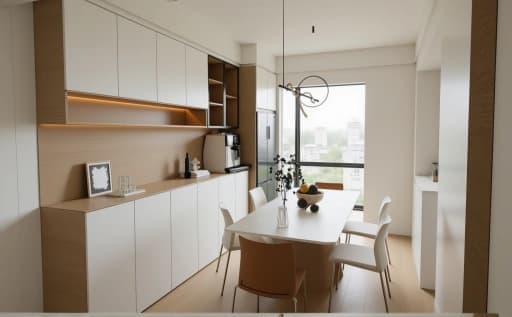
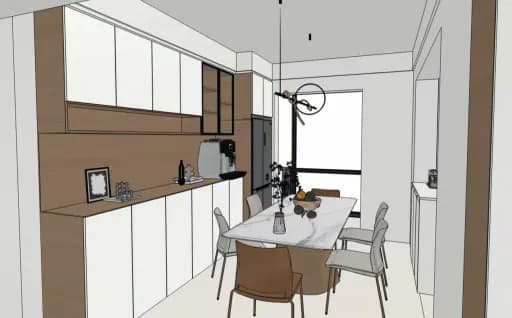
A FEW WAYS TO BEGIN
Explore the details that make a difference.
Compare cabinet finishes
Explore natural oak, painted cabinet fronts or a quieter matte finish, keeping your existing kitchen photo as the reference.
Coordinate the surfaces
Preview how a countertop, backsplash and flooring palette could work together before collecting real samples.
Explore a lighting direction
Try warmer task lighting or a different pendant style while considering your existing work areas.
FROM YOUR IMAGE TO AN IDEA
How to use AI Kitchen Design & Remodel Ideas
- Upload a clear kitchen photo with fixed features visible.
- Choose a style and details, then apply and edit the suggested brief.
- Generate an image, compare it with the source and refine one decision at a time.
A design brief to make your own
Reimagine this kitchen in a warm minimal style. Explore cabinetry, countertops and backsplash finishes. Use a coordinated palette and realistic lighting. Retain the existing layout, windows, doors and fixed features as closely as possible. Create a realistic visual concept with balanced proportions.
EDIT THIS BRIEF TO MATCH YOUR IMAGE
This creates visual remodel concepts. Confirm appliance clearances, ventilation, plumbing, electrical work and cabinetry dimensions with appropriate professionals before construction.
Read a practical design guide ↗Start with a little room to experiment.
New accounts receive 3 starter credits. Each submitted image generation uses 1 credit, including another attempt or revision. A finished design may take several attempts.
Explore plans and one-time credit packs ↗Questions before you begin?
How do I start with my own kitchen?
Open the design tool and upload a JPG, PNG or WebP photo under 10 MB. Choose a style, edit your brief and submit a generation.
Can AI kitchen design keep my cabinet layout?
Ask the generator to retain the cabinet arrangement, windows and appliance locations, then inspect the result. It cannot guarantee exact layout or dimensional accuracy.
Can I try it before buying credits?
New accounts receive 3 starter credits without a payment card. The current generator uses 1 credit per submitted image generation; further attempts use additional credits.